Install and Configure Nagios on Debian 11
Switch to Root User
su
Disable SELinux (if enabled)
dpkg -l selinux*
Install Prerequisite Packages
apt-get update
apt-get install -y autoconf gcc libc6 make wget unzip apache2 apache2-utils php libgd-dev
apt-get install -y openssl libssl-dev
Download and Extract Nagios Core
cd /tmp
wget -O nagioscore.tar.gz https://github.com/NagiosEnterprises/nagioscore/archive/nagios-4.4.14.tar.gz
tar xzf nagioscore.tar.gz
Compile Nagios Core
cd /tmp/nagioscore-nagios-4.4.14/
./configure --with-httpd-conf=/etc/apache2/sites-enabled
make all
Create Nagios User and Group
make install-groups-users
usermod -a -G nagios www-data
Install Nagios Binaries
make install
Install Nagios Service
make install-daemoninit
Install Command Mode
make install-commandmode
Install Configuration Files
make install-config
Install Apache Config Files
make install-webconf
a2enmod rewrite
a2enmod cgi
Configure Firewall for Nagios
iptables -I INPUT -p tcp --destination-port 80 -j ACCEPT
apt-get install -y iptables-persistent
Create Nagios Admin User
htpasswd -c /usr/local/nagios/etc/htpasswd.users nagiosadmin
Restart Apache Web Server
systemctl restart apache2.service
Start Nagios Service
systemctl start nagios.service
Access Nagios Web Interface
Open a web browser and navigate to:
http://your-server-IP/nagiosLog in using:
Username: nagiosadmin
Password: your-password
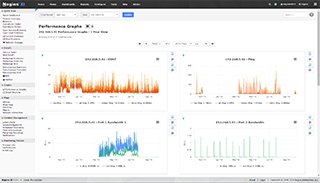
Once logged in, you should see the Nagios interface.
Install Nagios Plugins
apt-get install -y autoconf gcc libc6 libmcrypt-dev make libssl-dev wget bc gawk dc build-essential snmp libnet-snmp-perl gettext

cd /tmp
wget --no-check-certificate -O nagios-plugins.tar.gz https://github.com/nagios-plugins/nagios-plugins/archive/release-2.4.6.tar.gz
tar zxf nagios-plugins.tar.gz

cd nagios-plugins-release-2.4.6/
./tools/setup
./configure
make
make install
Verify Nagios Setup
Revisit the Nagios web interface to ensure proper operation.
Service / Daemon Commands
systemctl start nagios.service
systemctl stop nagios.service
systemctl restart nagios.service
systemctl status nagios.service